Switching to AnyAutomation Studio
The successor of TIA Openness Manager
AnyAutomation Studio is the Automation Engineering IDE that continues TIA Openness Manager: the capabilities of the previous tool have their views in Studio, and your account, export folders and vault files carry over unchanged. This page maps the tabs to their Studio views and lists what stays the same.
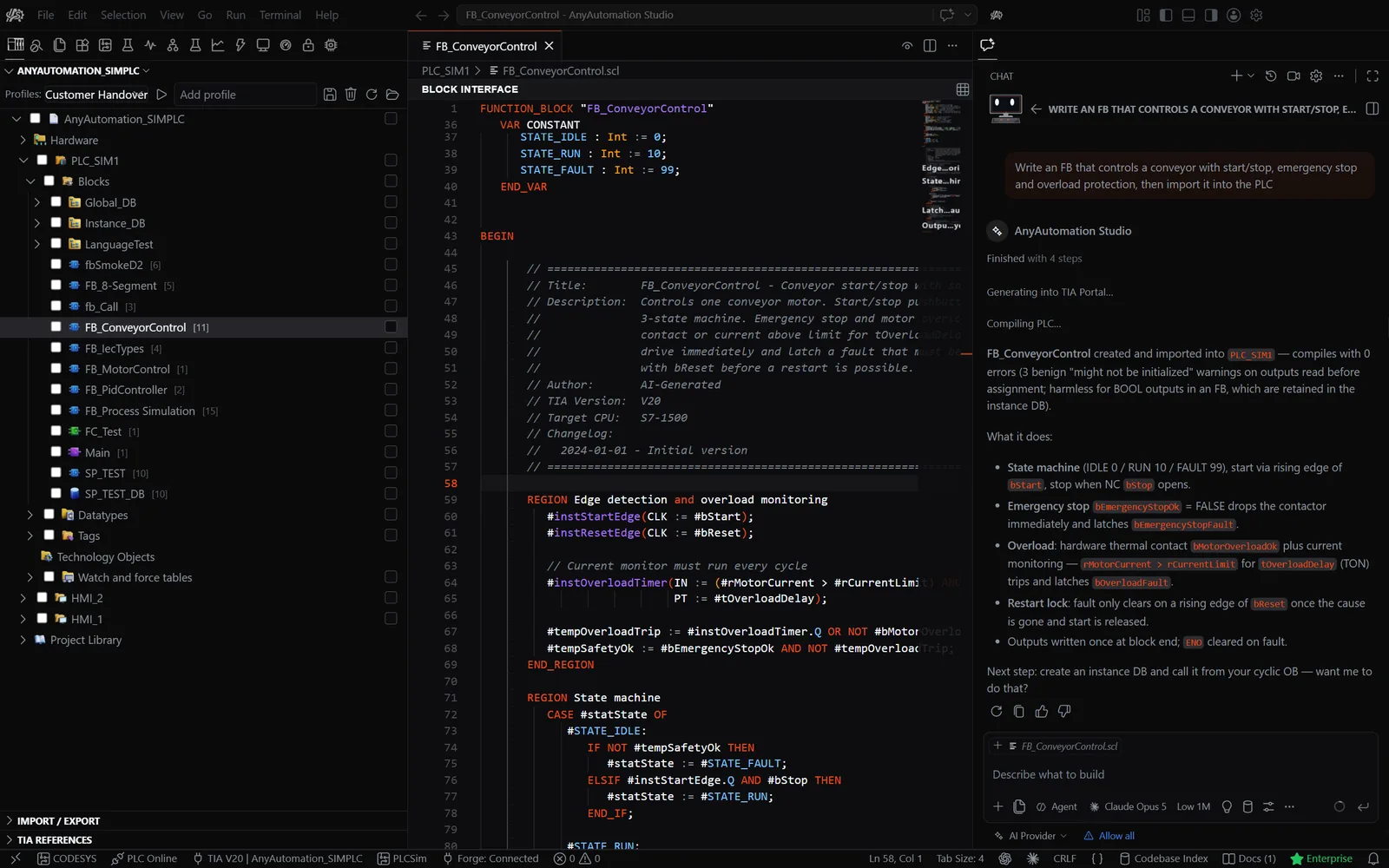
TIA Openness Manager tabs and their AnyAutomation Studio views
Which view replaces which tab
Import/Export becomes the Import/Export view
Export and import blocks, tag tables and hardware with the folder structure you know. Before an import, Studio shows a diff preview between the project and the export folder, and you select block by block what goes in. Details: import and export blocks.
Compare becomes the Compare Editor
Compare a project with another project or with an export folder, block by block, and merge a difference straight back into the project. Background: compare TIA blocks and projects.
OPC UA becomes PLC Online
Browse the address space, read and write values and follow live subscriptions over OPC UA or the S7 native connection, without TIA Portal open. Details: OPC UA client.
Vault becomes the Password Vault
The AES-256 encrypted vault for know-how protection passwords. A .vault file created with TIA Openness Manager opens in Studio with the same master password. Details: Password Vault for know-how protection.
Find Unused stays Find Unused
Find blocks that nothing references in the whole project and clean them up in one step.
Unit Testing stays Unit Testing
Write, run and evaluate SCL unit tests on PLCSIM Advanced or a real S7 PLC, with reports and a runner for your pipeline. Details: SCL unit tests for TIA Portal.
Git becomes the integrated source control
Stage, commit, diff, branch and sync your export folders in the same window as the project, with an AI-written commit message when you want one. Details: Git for TIA Portal.
Protection becomes Protected Items
Mark blocks that Import All skips and save the selection as a profile. Details: Protected Items.
New in AnyAutomation Studio
AI chat with project context, Project Search, Trace, Commissioning Report, Hardware Simulation, Forge, EPLAN Connector, CODESYS and SCADA. Start with the AI assistant for Siemens TIA Portal.
Account, subscription, files and support
What stays the same
Your account
Sign in to AnyAutomation Studio with the account you used for TIA Openness Manager. Hardware binding and organisation seats are managed in your account, the same account as before.
Your subscription
Whether your existing subscription is recognised in AnyAutomation Studio is shown in your account after sign-in; the current plans are on anyautomation.ch. Activation, validation and hardware switches work as described on the licensing page.
Your files
Export folders created with TIA Openness Manager and .vault files of the previous Password Vault open unchanged in AnyAutomation Studio. Nothing has to be converted.
Your support contact
Questions about your licence or the switch go to the same address as before.
Questions about the switch
No. AnyAutomation Studio installs next to it, and both can stay installed while you move your work over. TIA Openness Manager no longer receives updates, so you can uninstall it once you no longer need it.
TIA Portal V15 through V21 on Windows 10 and 11 (64-bit). TIA Portal must be installed on the same machine, but it does not have to be running. The setup of the Openness interface is described on the Set up Siemens TIA Openness page.
Whether your existing subscription is recognised is shown in your account after sign-in (see the block above). A new account can also start a 30-day trial without a credit card.
No. AnyAutomation Studio is a code-first editor: a project explorer, an SCL editor with live values when online, and the views listed above sit in one window, together with the AI chat. The capabilities are the ones you know, arranged around the editor.
The documentation is at anyautomation.ch/docs, the release notes are on GitHub. More answers on the FAQ page.
Download AnyAutomation Studio
Signed Windows installer with automatic updates. Sign in with your existing account and continue where TIA Openness Manager left off.
- TIA Portal V15 to V21
- Windows 10 and 11, 64-bit
- 30-day trial, no credit card
- Automatic updates